Geo-zone visits report
The geo-zone visits report lists every time a vehicle entered a geo-zone: when it arrived, when it left and how long it stayed.
Use it to check when your vehicles reached a customer or a depot, or how long they waited at a loading site.
What is in the report
One row is one visit: one vehicle entering one geo-zone and staying inside until it leaves.
The entry time is the first time the tracker reported the vehicle inside the geo-zone, and the exit time the last time. Depending on how often your trackers report, the vehicle really drove in a little earlier and left a little later.
Only geo-zones that are switched on are checked. Other geo-zones are skipped, even when you tick them in the Data step.
If you change a geo-zone’s shape, a report made later uses the new shape, also for earlier periods.
A visit belongs to the period it entered in. A vehicle that was already inside when the period started gets no row for that stay, for example a truck parked at the depot overnight. A visit that entered inside the period is followed until the vehicle leaves, even after the period.
A vehicle that is still inside when the report is made has an Ongoing visit. It has no exit time, and its duration runs until the report was made.
When geo-zones overlap, a vehicle can visit each of them at the same time.
Settings
In the Data step, choose the vehicles and the geo-zones. All geo-zones are included at first. The other settings are on the Filters step.
Geo-zone visit settings
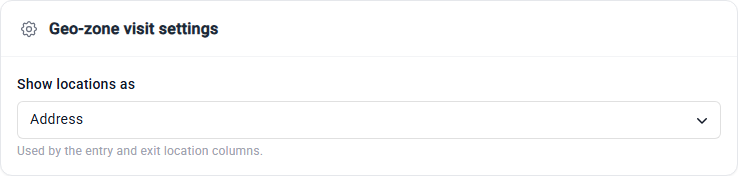
Show locations as – how the Entry location and Exit location columns are written: Address (the coordinates when there is no address), Coordinates or Address and coordinates.
Geo-zone visit filters
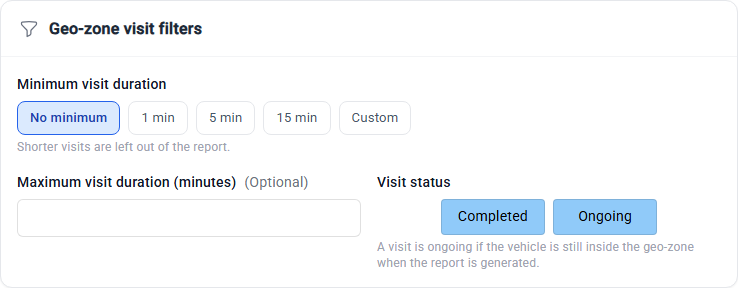
Minimum visit duration – leave out visits shorter than 1 min, 5 min, 15 min or a Custom number of minutes. It starts at No minimum, so every visit is kept, also a vehicle that only drove through.
Maximum visit duration (minutes) – leave out visits longer than this. Empty at first.
Visit status – keep Completed visits, Ongoing visits or both.
A vehicle that is still inside counts with the time it has spent there so far. The notes at the top of the report say how many visits the filters left out.
Visit order
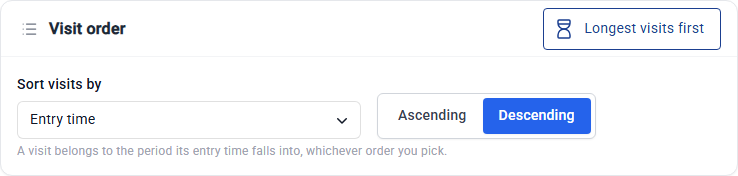
Sort visits by Entry time, Exit time, Vehicle name, Geo-zone name or Visit duration, Ascending or Descending. The newest visit comes first at the start.
Click Longest visits first to list the longest stays first.
Columns
Columns marked ✓ are in the report by default. The vehicle columns and the geo-zone columns can be added too.
Column |
What it shows |
Default |
|---|---|---|
Entry time |
✓ |
|
Exit time |
When the vehicle left the geo-zone. Empty while ongoing. |
✓ |
Visit duration |
From the entry to the exit, or until the report was made while ongoing |
✓ |
Visit status |
|
|
Entry location and Entry coordinates |
Where the vehicle entered the geo-zone |
|
Exit location and Exit coordinates |
Where the vehicle left the geo-zone. Empty while ongoing. |
|
Distance inside geo-zone (km) |
How far the vehicle drove inside the geo-zone during the visit |
|
Stops inside geo-zone |
How many times the vehicle parked inside the geo-zone during the visit |
|
Stop duration inside geo-zone |
How long it was parked inside the geo-zone during the visit |
Summary
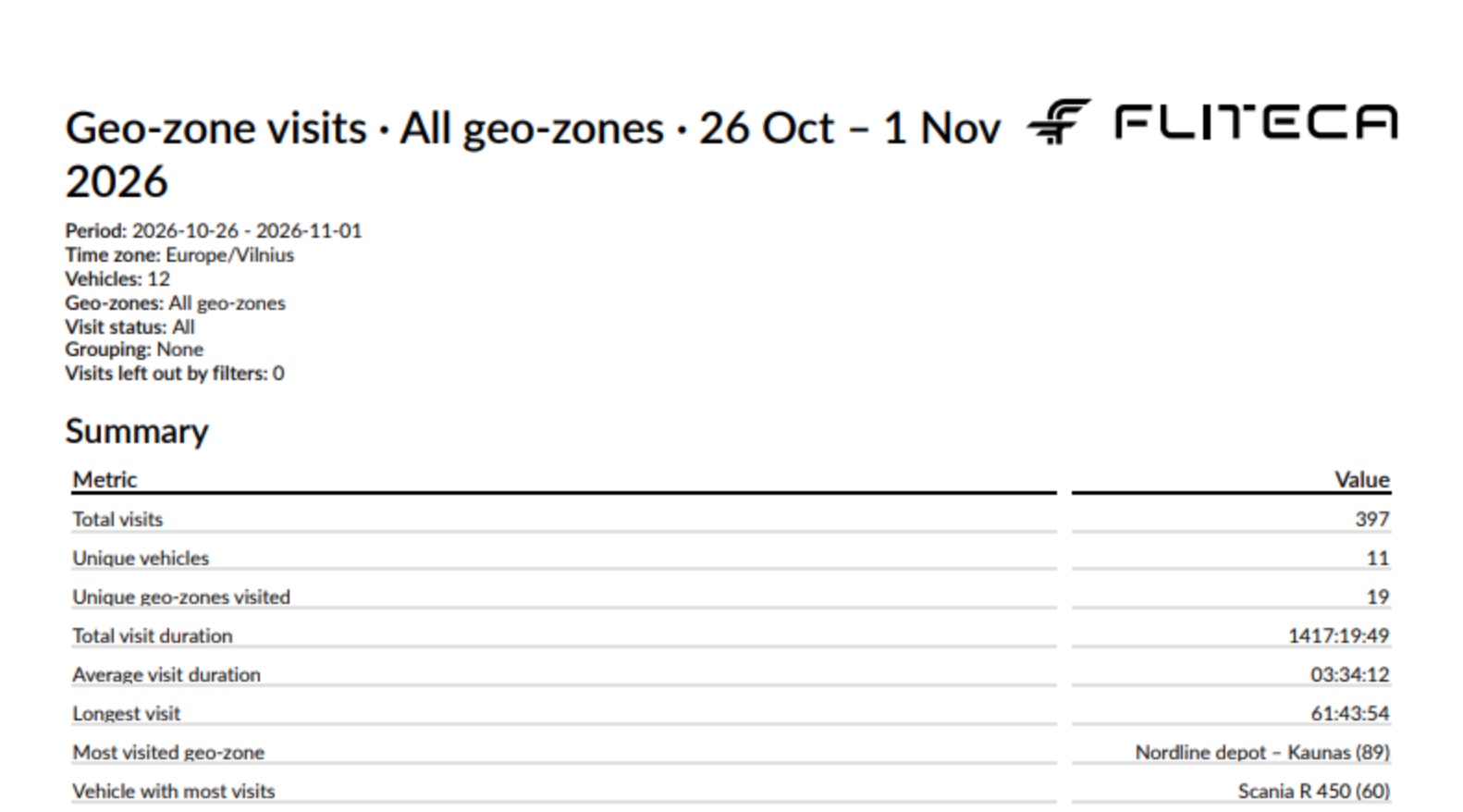
Every geo-zone visits report starts with these figures:
Figure |
What it is |
|---|---|
Total visits |
The number of visits |
Unique vehicles and Unique geo-zones visited |
|
Total visit duration, Average visit duration and Longest visit |
The time spent inside. Ongoing visits count until the end of the period. |
Most visited geo-zone and Vehicle with most visits |
The name, with the number of visits in brackets |
Summary tables can have a row for each Vehicle, Vehicle group or Geo-zone, split by the day, week or month the visit entered. They show Visits, Vehicles, Geo-zones, Total duration, Average duration and Longest visit. See the Summary step.
Example
A geo-zone visits report for one week, with the default settings. Click a picture to see it full size.

Good to know
A vehicle driving along the edge of a geo-zone can make many visits of a few seconds. Set Minimum visit duration to 1 min to leave them out.
An overnight stay at the depot shows only in the report of the day the vehicle arrived.
If a tracker stops sending data inside a geo-zone, for example when it loses signal, the visit stays Ongoing until the tracker reports again.
Exit time here and Geo-zone exit time in the geo-zone overspeeding report can differ by a few seconds. Both are right: one is the last moment the vehicle was seen inside, the other the first moment it was seen outside.