Dashboard
The dashboard shows how your fleet is doing today, on one page. Click Dashboard in the top menu to open it.
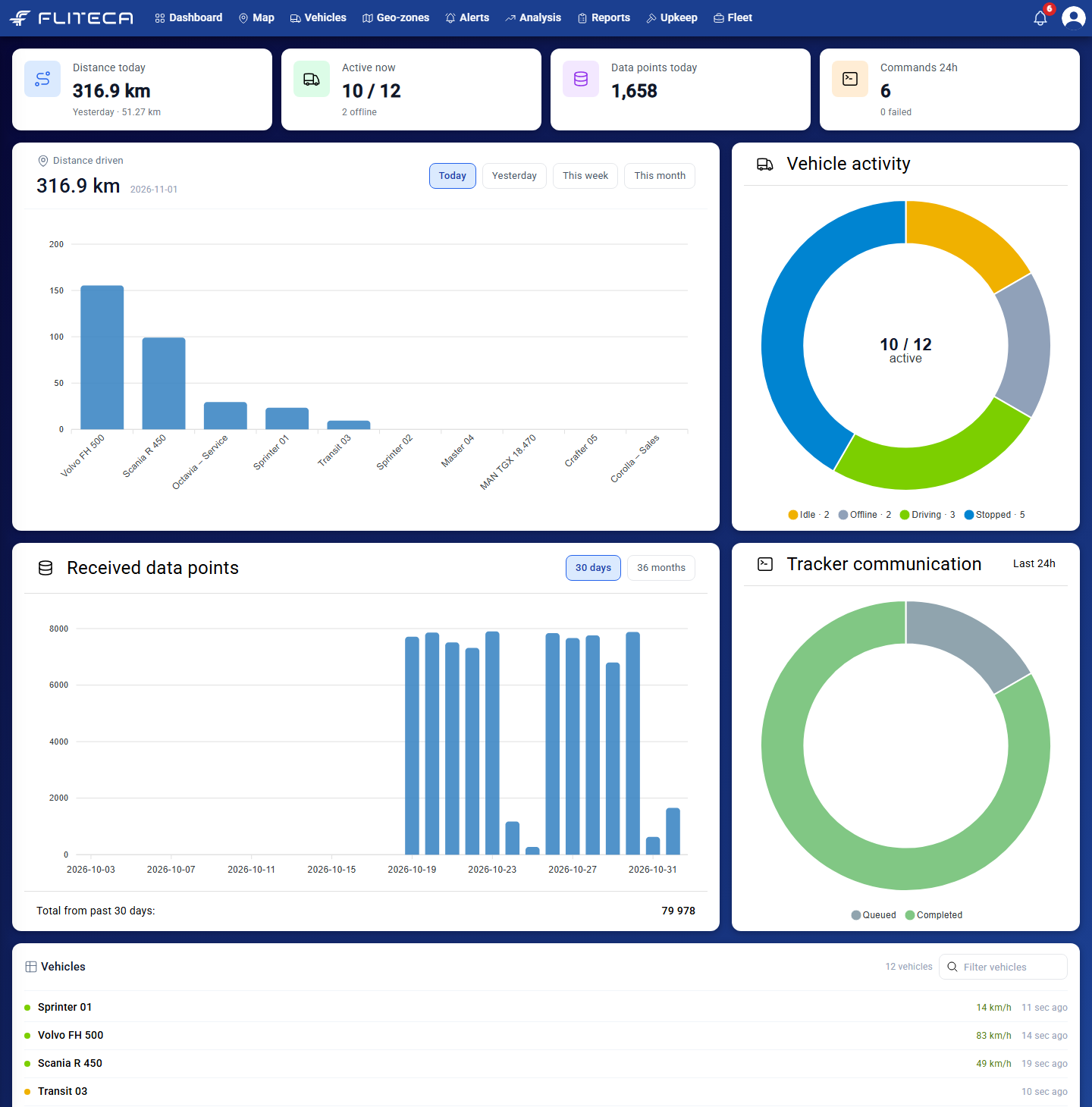
What each part shows
The four tiles at the top
Distance today – how far all vehicles drove today, and yesterday’s total below it.
Active now – how many vehicles are sending data right now, and how many are offline.
Data points today – how many messages your trackers sent today.
Commands 24h – how many commands you sent to trackers in the last 24 hours, and how many failed.
Distance driven - A bar for each vehicle. Click Today, Yesterday, This week or This month to change the period.
Vehicle activity - How many vehicles are driving, stopped, idle or offline right now.
Received data points - How much data your trackers sent each day. Click 30 days or 36 months to change the period.
Tracker communication - Commands from the last 24 hours that are still queued and that are completed. See Tracker commands.
Vehicles - Every vehicle with its current speed and when it last sent data. Type in Filter vehicles to find one. Also, you have a quick overview of trackers, that baterries need charging (more relevant for portable rechargeable trackers).